


Problem Overview
A customer recently reported the following issue with their FormulaFlash ECU Programmer:
“My device stopped providing power in bench mode. The LEDs no longer light up. Is there any chance of repairing it? It is still under warranty.”
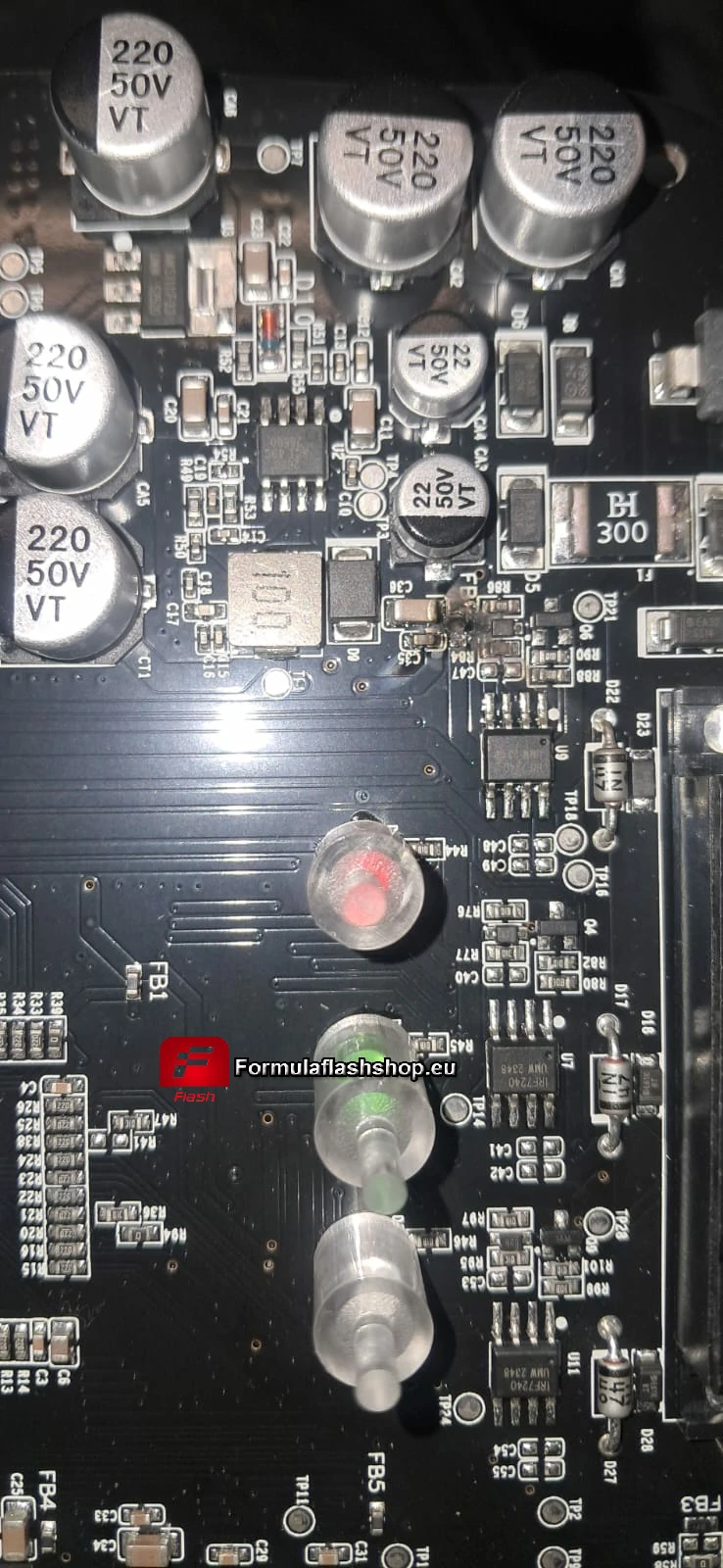
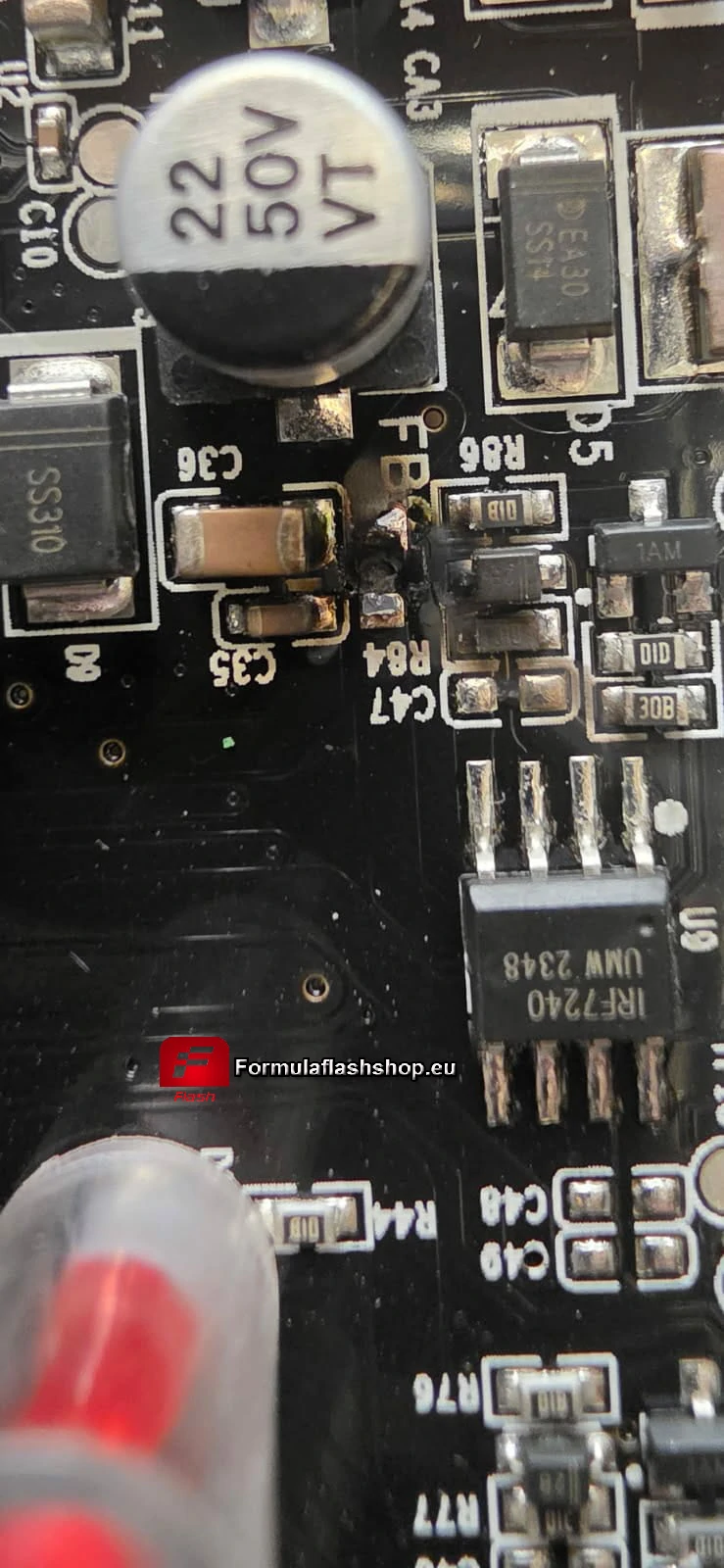
After inspection, the root cause was identified as a burnt FB0 resistor on the PCB board, which resulted in a complete loss of power output in bench mode.
Root Cause Analysis
The failure is typically caused by:
- Overcurrent or incorrect wiring during bench operation
- Short circuit during ECU connection
- Component aging or unexpected voltage spikes
The damaged component (FB0 resistor) plays a key role in the power circuit. Once it is burnt, the device will:
- Fail to supply power in bench mode
- Show no LED activity
- Appear completely unresponsive
Repair Solution
Method 1: Replace with a 0 Ohm Resistor
The recommended solution is:
- Replace the damaged FB0 component with a 0Ω (zero-ohm) resistor
This acts as a jumper and restores the circuit continuity.
Method 2: Use a Donor Resistor from the PCB
If a 0Ω resistor is not available, you can:
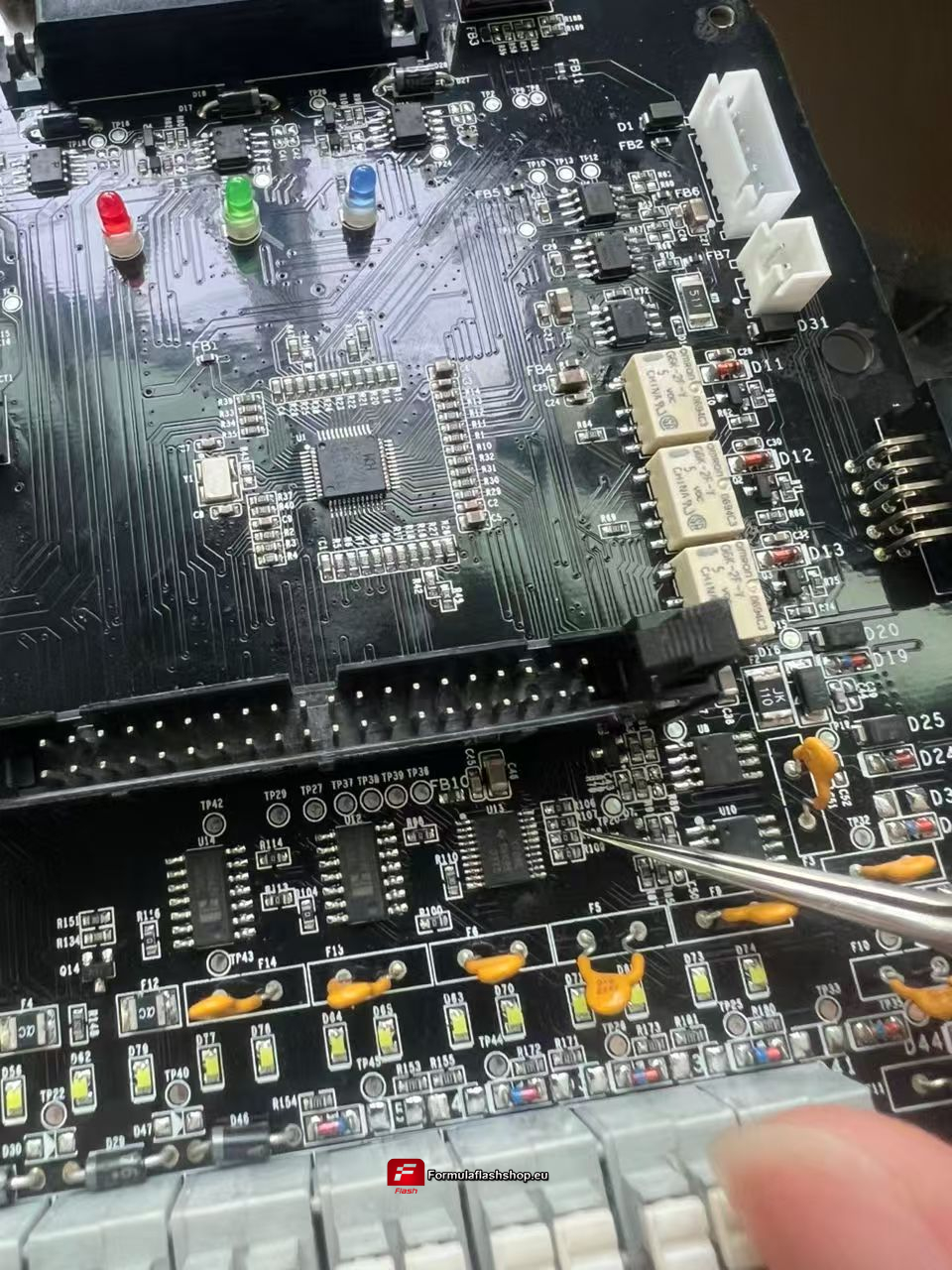
- Locate a row of similar resistors on the PCB board
- Remove one resistor from that row
- Solder it onto the burnt FB0 position
⚠️ Important:
Please refer to the official PDF diagram for the exact component location before performing the repair.
Important Notes
- This repair requires basic PCB soldering skills
- Improper handling may cause further damage
- If your device is still under warranty, it is recommended to contact your supplier before attempting repair
Preventive Tips
To avoid similar issues in the future:
- Double-check wiring before powering the device
- Use stable power supply during bench operations
- Avoid hot-plugging ECU connections
- Ensure proper grounding
Conclusion
A FormulaFlash device that shows no power in bench mode and no LED activity is often caused by a burnt FB0 resistor. Replacing it with a 0Ω resistor or using a donor component from the PCB can effectively restore functionality.
If you are unsure about the repair process, always consult technical support or refer to the official documentation.